How CS2 Processes Your Shots: A Guide to Sub-Tick and Server Refresh Rates
Here is everything you need to know about how CS2 processes inputs like shots, movement, grenades, and everything else.
Here is everything you need to know about how CS2 processes inputs like shots, movement, grenades, and everything else.
If you have been playing CS2 for a while, there is a good chance you might have run into this problem. You fire a shot and are sure that it hit, but the game doesn’t register it.
When something like this happens, players often blame tick rate, sub-tick, or the server. Those systems do matter, but they are also easy to misunderstand. CS2 still runs its servers using ticks. The big change from CS:GO is that actions such as shooting and movement can be recorded more precisely between those ticks.
Here is what that actually means when you click your mouse and fire a shot.
CS2 servers update the state of the match state at fixed intervals called ticks. The game runs at 64 ticks per second (64 Hz), meaning roughly 15.6 milliseconds between each server tick. Put simply, CS2 servers don’t know what’s going on until the next tick, which is 15.6 milliseconds away.
During those updates, the server processes information about the match, including player movement, weapon actions, and the current state of the game.
This became a major talking point during the CS era. Valve's matchmaking servers ran at 64 ticks, while third-party platforms such as FACEIT became closely associated with 128-tick servers.
At 128 ticks, there are about 7.8 milliseconds between updates instead of 15.6. Under a traditional tick-based system, that means the server gets more frequent opportunities to process what is happening. This means the server is less likely to miss something like a shot.
But Valve has brought a major rework to this system in CS2. It completely changed the tick debate by introducing sub-tick updates.
Sub-tick lets CS2 track when an action happens between two server ticks. Imagine one server tick happens, followed by another roughly 15.6 milliseconds later. You fire your weapon halfway between those two updates.
Instead of only knowing that you fired somewhere during that tick interval, CS2 can retain more precise timing information about when the input occurred. The same idea applies to actions like starting movement or throwing a grenade.
Valve describes sub-tick updates as the heart of CS2's netcode and says that servers can determine the exact instant that movement begins, a shot is fired, or a grenade is thrown.
The game still relies on ticks to determine the game state, but sub-ticks tell the server exactly when something (like a shot or movement) happened within that tick. It’s important to mention that tick rate still matters; sub-ticks just make it more accurate.
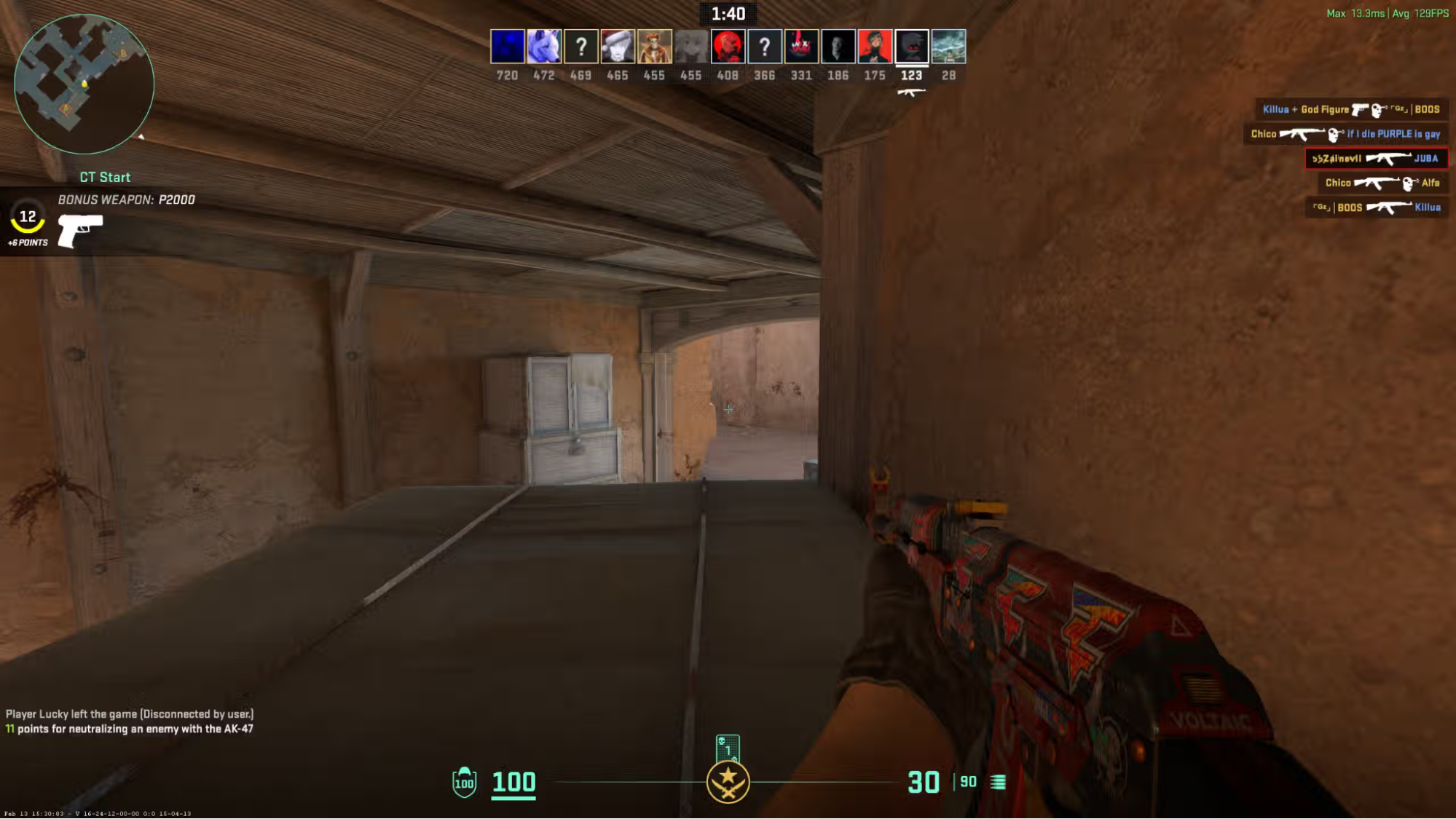
Say you are holding an angle with an AK-47 and an opponent swings into your crosshair. You react, move your crosshair onto their head, and shoot.
Your PC detects the mouse input, and CS2 records when that shot occurred within the current tick. That information is sent to the server, which evaluates the action alongside the rest of the match state. If this were CS:GO, this would be how the game would process the shot. It would look at what happened during the tick and make decisions based on it. This is a simplified version of the entire process:
Your input → CS2 client → network → server → network → CS2 client → display.
The server is still authoritative, meaning your PC doesn't get to decide whether the shot actually counted. Your client sends the relevant information, and the server determines the result.
Sub-tick improves the precision of information sent to the server, but it cannot remove every other source of delay. Your inputs still need to reach the server, and the server's response has to make its way back to your PC. That means ping still matters.
A player on a 10 ms connection and another on an 80 ms connection are not experiencing the same network conditions just because they are on the same sub-tick server. Connection stability matters too. Packet loss, jitter, and sudden latency spikes can all make a match feel worse even when your average ping looks acceptable.
CS2 also uses prediction and interpolation to keep the game looking and feeling responsive while information moves between your PC and the server. These systems help smooth out online play, but they cannot completely hide a bad connection.
Your frame rate adds another layer. At 300 FPS, a new frame is produced roughly every 3.3 milliseconds. At 60 FPS, that rises to around 16.7 milliseconds.
None of this changes the server's tick rate, but it does affect how quickly you see, react to, and receive feedback from what is happening. Sub-tick improves one part of that chain. It doesn't eliminate the rest of it.
In CS, moving from 64 ticks to 128 ticks reduced the time between server updates from roughly 15.6 milliseconds to 7.8 milliseconds.
That difference was noticeable enough that many competitive players preferred playing on 128-tick third-party servers.
It also affected gameplay in ways that went beyond how gunfights felt. Grenade lineups were one of the clearest examples. Certain jump throws and lineups could behave differently depending on whether you were playing on a 64- or 128-tick server.
CS2 was designed to reduce that dependency.
Valve specifically stated that grenade throws should behave consistently regardless of tick rate, which removes one of the more awkward differences players had to account for in CS.
That is one reason why the old "64 tick versus 128 tick" debate doesn't translate perfectly to CS2.
You cannot increase CS2's server tick rate from your PC. What you can control is how reliably and quickly your inputs reach the server.
Using a wired Ethernet connection instead of Wi-Fi is one of the simplest improvements you can make. Wi-Fi can be affected by interference and signal strength, which can cause latency spikes or packet loss. Packet loss simply means some of the data being sent between your PC and the server never reaches its destination.
It’s also worth avoiding large downloads or other bandwidth-heavy activity while playing. These can introduce packet loss or high ping. If you do have to download something, try limiting the download speed, but generally you should avoid it if you are playing competitively.
Your frame rate plays a role in responsiveness as well. It doesn't affect the server's tick rate, but unstable FPS and frametimes can make inputs and visual feedback feel less consistent.