How to Disable Crossplay in Pokémon Unite
If you are tired of competing against Switch players, here is what you can do.
If you are tired of competing against Switch players, here is what you can do.
While crossplay sounds like a great feature that allows you to play with friends across different platforms, it does not work well for solo-queue players. Pokémon Unite offers crossplay across Switch, iOS, and Android, allowing players of these platforms to play matches together.
For casuals, this is great, but when it comes to grinding ranked, Switch players do have a slight advantage.
However, there is no way to disable crossplay in Pokémon Unite. There is currently no in-game option to turn off cross-platform matchmaking. Players on Nintendo Switch and mobile (iOS and Android) are automatically placed in the same matchmaking pool
That said, there are still ways to adapt and overcome the advantage just by playing smart.

Crossplay has become a staple feature in most modern competitive games. Gamers want the ability to be able to play with their friends regardless of platform. While the feature makes it easier to game with friends, it has a big impact on the competitive integrity of the game.
Many games have made a workaround for this. Some allow the option turn off crossplay, while others limit it to certain modes. For instance, Marvel Rivals has crossplay, but it’s not available for ranked. Other games like VALORANT completely opt out of it.
Apart from allowing players to play with each other, crossplay also has other benefits. Firstly, it drastically reduces matchmaking times because the lobbies are formed from a larger pool of players. It also unites the playerbase under one ecosystem and keeps the game’s other modes populated.
Pokémon Unite isn’t a super-popular game like Marvel Rivals, so the player pool is quite small. Giving the players the option to turn off crossplay will drastically increase queue times. The workaround for this would be to add bots to the game, which would make sense if Pokémon Unite weren’t a team-based game. So, currently, the game does not allow you to turn off crossplay.
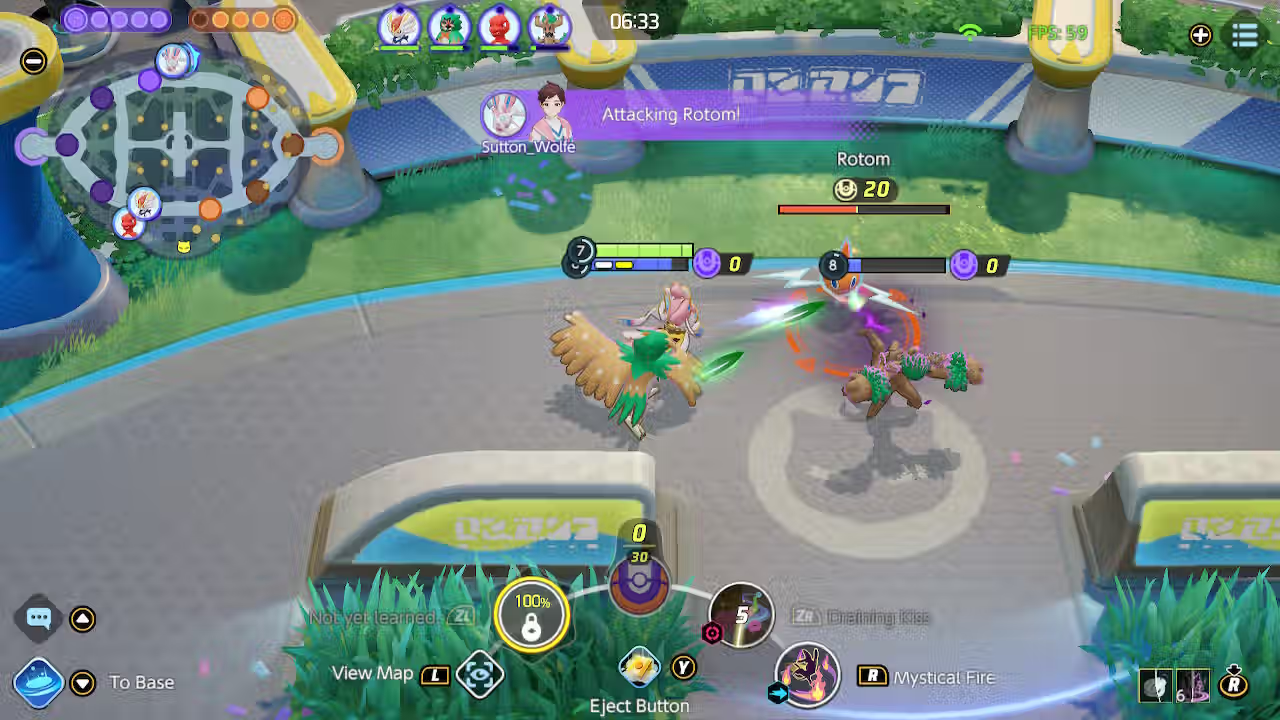
There’s an ongoing debate about whether Nintendo Switch players have a slight edge over mobile users.
The Switch has better control options, whereas on a phone, all you have is the screen. This gives Switch players a bit more control when it comes to mechanical skill. Of course, Pokémon Unite isn’t a shooter and isn’t entirely reliant on mechanics, but the advantage is still there.
The Switch has physical buttons for better movement and ability usage, and aiming is a bit more consistent thanks to the joysticks.
But you can easily bridge this gap just by playing smart and utilizing your strengths. Here are some tips to handle cross-platform lobbies more easily.
The first thing you need to do is heavily customize your control layout. If you find yourself often missing the ability button, play around with its size and positioning so you can hit it more consistently. Similarly, make the most frequent controls bigger in size so you don’t misinput. Play around with the sensitivity and size of your movement controls.
The biggest tool you have at your disposal against Switch players is Lock-on targeting. It’s toggled in settings via "Lock-on Icon" adds a wheel showing nearby enemies to prioritize during fights. This makes keeping track of enemies much easier.
If you struggle with mechanics on the phone, consider choosing Pokémon with auto-targeting or wider-area abilities. Basically, Pokémon that are less reliant on mechanical ability are more impactful. This will allow you to play on equal terms with Switch players without worrying about accuracy.
Instead of relying on mechanical skill, focus on improving your map awareness and game sense. Yes, mechanical skill matters, but you can win more matches just by making the right calls. Focus on the major objectives, rotate early if you can, keep track of enemies’ Unite moves, and don’t be over-aggressive. Smart positioning and ability usage will result in more wins than just being mechanically good.
Solo queuing is always more difficult, no matter what game it is. Pokémon Unite is a team-dependent game, so whenever you can queue with some friends. It reduces the unpredictability of solo queuing as you are playing with people you can easily coordinate with.
Secondly, even if you are solo queuing, make an effort to communicate with the team. Simple things like combining abilities, calling out when your Unite move is ready and asking teammates to support you if you want to over extend goes a long way.
To put it simply, coordinated teams often outperform mechanically superior but unorganized opponents.
If you truly want to bridge the mechanical gap between Switch and mobile than your best bet is to learn claw. It has a steep learning curve, and it can be extremely uncomfortable at the start, but when you have mastered the claw grip, there is basically no difference between playing on Switch or on mobile.
But the most difficult part about claw is learning it. Initially, you will most likely play worse than you usually do, but with enough practice, you will get the hang of it. Most great players on mobile use claw.
While you cannot disable crossplay in Pokémon Unite, the system is designed to create fair and balanced matches across platforms. Although Switch players may have a slight input advantage in some scenarios, skill, teamwork, and strategy ultimately determine match outcomes.
In competitive play, adapting to your platform’s strengths is far more important than worrying about the platform your opponents use.