League of Legends is a fun, exhilarating MOBA that puts both brains and reflexes to the test. While Riot has recently introduced some changes to make the game more beginner-friendly — like the introduction of ability previews in champ select — there’s no denying that the game is still incredibly difficult to break into as a new player.
But you won’t have to navigate the Rift’s complexities alone. We’ll share some top tips that are sure to help you pick things up quickly (and gain the knowledge, skills, and mental needed to ace your Ranked placement matches). We’ll also direct you to some helpful guides for some informative (and light) further reading.
Tip #1 - Use the /MuteAll Chat Command
Yep. It may seem odd, but we’re kicking off our list with the /muteall chat command.
As its name suggests, this nifty command filters out any pings and messages from other players in the match.
This isn’t exactly going to make or break your gameplay, but as a new player, it will protect your mental — something that’s vital while you’re still learning and figuring out how the game works. It’ll also help to lessen visual clutter, allowing you to put more focus on honing the fundamentals like farming and map awareness.
Once you’re feeling more confident, and aren’t likely to be discouraged by a player’s tilt-induced flame, you can look to unmute the chat and learn more about how to use pings and communicate effectively with your team.
Tip #2 - Use the Practice Tool to Hone Mechanics (and Explore)
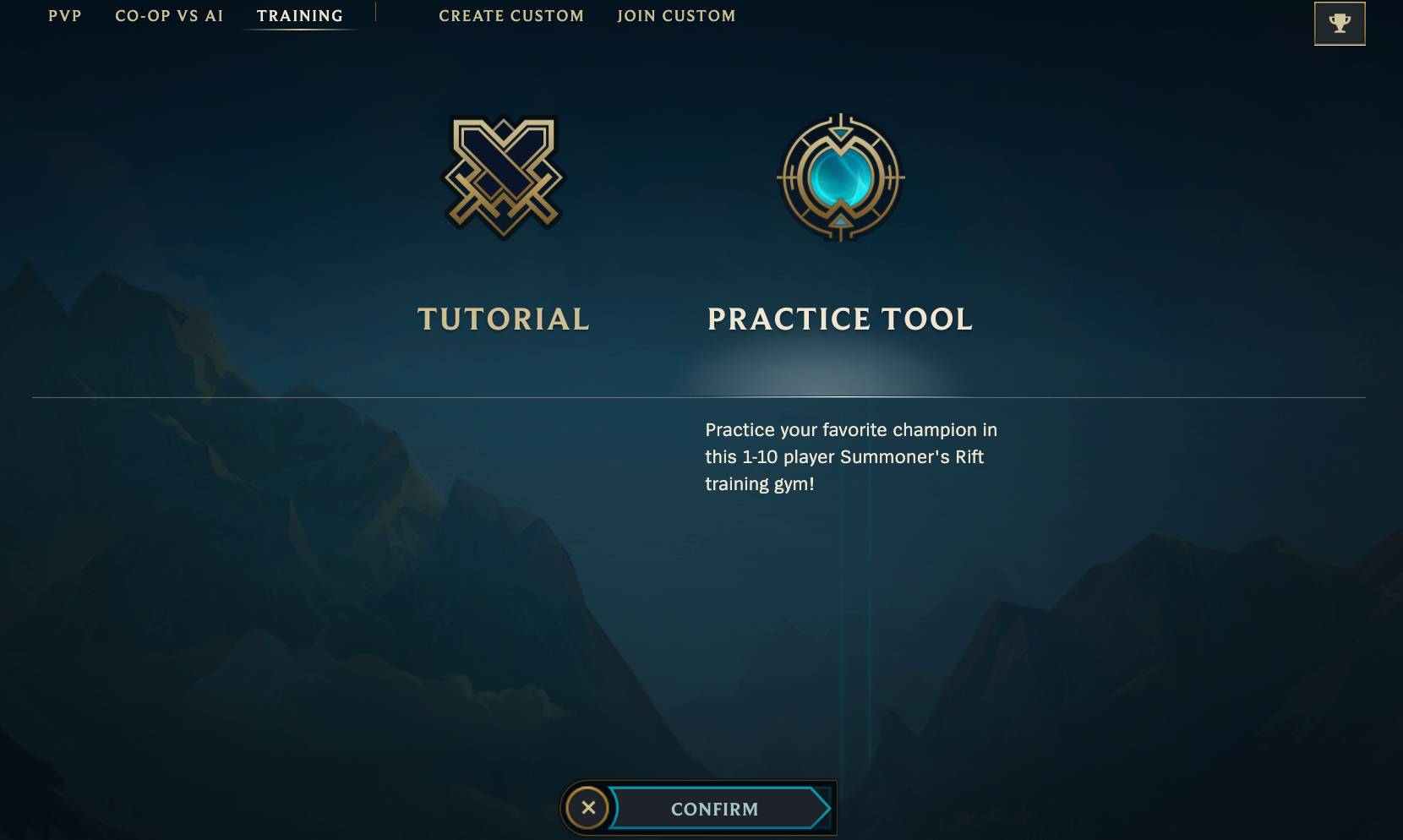
Trying to master complex combos and find your way around the map can feel downright impossible when you’re also juggling battling it out with enemies in real time. That’s where League’s built-in “Practice Tool” sandbox game mode comes in.
This nifty game mode, which can be accessed under the “Training tab,”, allows you to create a private custom game. It essentially serves as the perfect training grounds. You can practice your mechanics, familiarize yourself with objectives, and explore different champions and their playstyles — all without the pressure of enemies (or LP on the line). The practice tool has plenty of useful configuration settings too, including the option to add enemy/ally bots and adjust minion spawn timings.
Tip #3 Optimize Your In-Game Settings
Setting yourself up for success starts with ensuring your in-game settings are properly configured. Poorly optimized settings won’t just make it harder to learn the game; they’ll also inhibit your growth as a player in the long term. While we won’t delve into the nitty-gritty here, you can check out our recommended settings in this in-depth guide.
In general, you’ll want to make sure your graphics are set to prioritize performance (and maintaining FPS) over visuals. You should also adjust the settings to minimize visual clutter, toggle off unnecessary sound effects, and tailor the hotkeys to your preferences.
Tip #4 - Get into the Habit of Unlocking the Screen
New players often fall into the habit of relying on a locked screen rather than managing the camera controls themselves.
The locked screen mode can be useful as you begin to get to grips with the Rift; it means there’s one less gameplay aspect you have to think about while you play. However, it can be detrimental to your performance in the long term. It significantly reduces your field of view, making it harder to land skillshots, dodge the enemy’s attacks, and react to what’s going on around the map.
That’s why it’s important to get into the habit of unlocking your screen as soon as you can. The earlier you start, the easier it’ll be to leave the locked screen behind. Keep in mind that this doesn’t mean you have to abandon a locked screen entirely. You can toggle between the two modes with the space key. You can also use the F1 to F5 hot keys to instantly switch your field of view to your allies.
Tip #5 - Bookmark (and Browse) League Resources
League of Legends has a thriving community and boasts one of the most active esports scenes out there. Luckily for us, this means that there is a wealth of free resources readily available online that can help us level up our gameplay. While ‘further reading’ isn’t exactly everyone’s idea of a fun pastime, it is crucial if you’re hoping to improve as a player.
A good place to start is our dedicated blog page. You can find several in-depth guides covering the fundamentals like last-hitting and itemization, to more complex topics like landing skillshots. You can also watch professional streams, join online community groups like R/Summonerschool, and check out the official Riot Support site.
You’ll also want to bookmark these helpful resources, some official and others fanmade:
Get Ready to Play League of Legends Today
Getting started in League of Legends can feel daunting, but we hope our tips above have helped make the Rift a lil’ more Poro-esque rather than Baron-like (you’ll get the reference soon, don’t worry).
It will take time to learn the fundamentals and hone both your game sense and mechanics. However, the challenge involved makes it all the more rewarding once you start to climb and rake in that sweet, sweet LP.